Email Relay for Salesforce sandboxes
Undeliverable by design.
EmailHub catches every email your Salesforce sandboxes send, files it by client and sandbox, and delivers none of it.
Sandboxes hold real customer addresses.
Full and partial copies bring production contacts with them. Turn email on to test a flow, and those customers get the test.
Address your sandbox to us.
Three settings in Setup. Nothing to install.
- 1
Add an Email Relay
Point it at smtp.emailhub.ai and sign in with your EmailHub login.
- 2
Add an Email Domain Filter
Match everything. Mail the filter misses goes out through Salesforce.
- 3
Set Deliverability to All email
Mail lands in EmailHub under your company and sandbox.
+uat names the sandbox. Keep the same login after every refresh and its history stays in one place.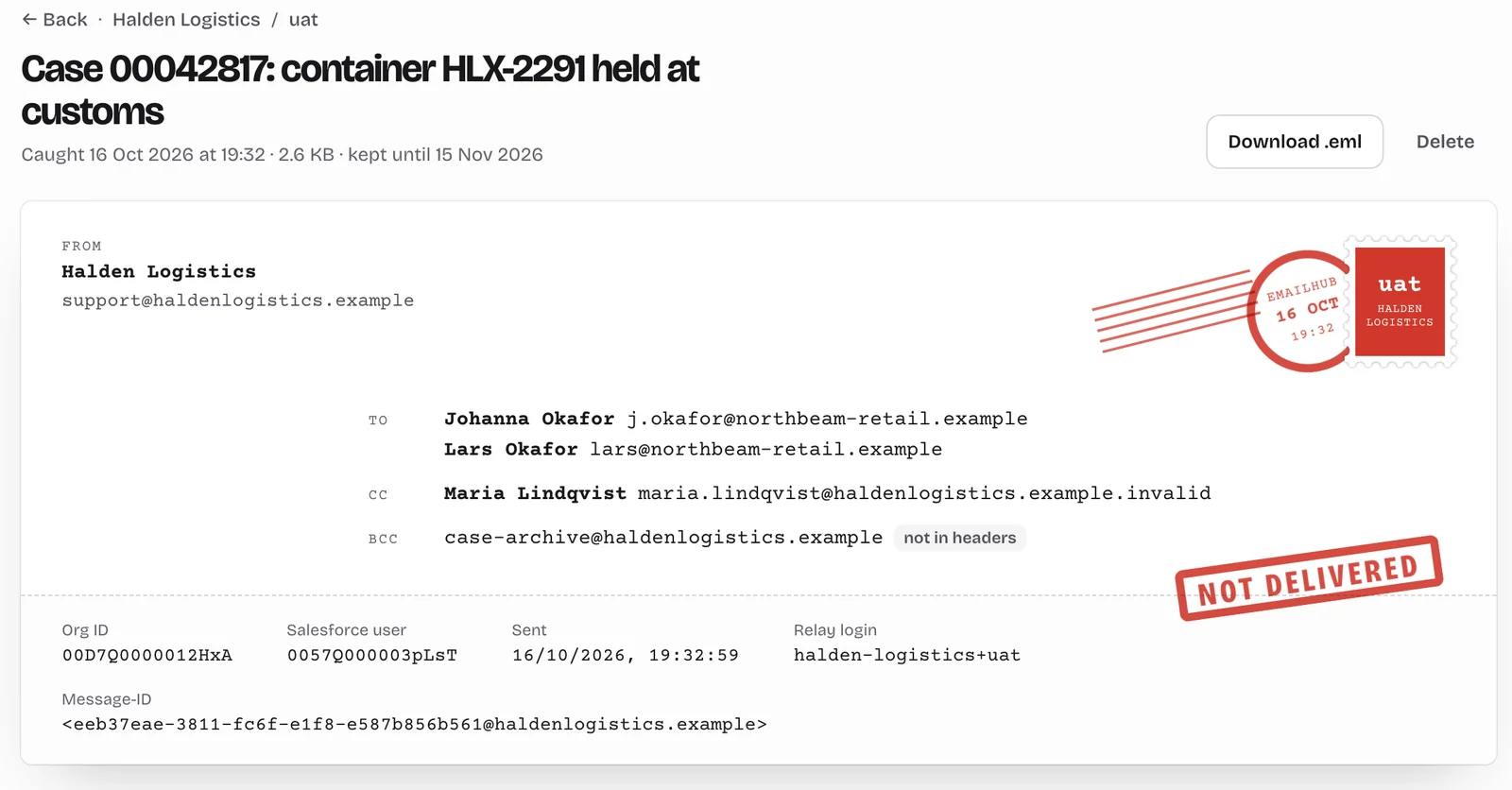
Read it the way the customer would.
Rendered HTML, plain text, every link, full headers, attachments and the raw .eml.
Sorted by company and sandbox
The relay login says where each email belongs. No org IDs to look up.
Refreshes keep the history
A refreshed sandbox gets a new org ID. It joins the same sandbox; the old one is archived.
Every recipient, BCC included
Copies Salesforce hands over separately become one email. BCC shows up even though headers hide it.
Cleans up after itself
Mail is removed after 30 days. Delete a message, a sandbox or a whole view sooner.
Built so it can't send.
There is no setting that turns delivery on. Sending was never built.
No sending code
EmailHub stores every email it receives. Nothing in it can pass one on.
Outbound mail blocked
The server's firewall only allows outbound HTTPS. Mail can't leave it.
Verified TLS and login
Relays connect over TLS with a verified certificate and a login per company.
Org IDs stay put
Once an org ID belongs to a company, no other login can file mail under it.
Questions
Does EmailHub work with production orgs?
No. It is for sandboxes only. Production keeps sending through Salesforce as usual.
What happens when a sandbox is refreshed?
A refresh resets the sandbox's email settings. Add the relay again with the same login, and new mail joins the same sandbox history.
Which emails does it catch?
Everything the Email Domain Filter sends to the relay. Mail the filter doesn't match goes out through Salesforce, so make the filter match everything.
Could EmailHub ever deliver an email?
No. It has no code that sends mail, and its server can't open outbound mail connections.
How long is mail kept?
30 days. You can delete any message, sandbox or view sooner.
Who can read the mail?
People with an EmailHub account, signed in at app.emailhub.ai.
Turn on All email in every sandbox.
Your team reads every message. Your customers receive none.